Schedule TikTok videos without opening the app
Batch your TikTok content in one sitting, schedule it for peak hours, and let Posthive handle the upload. No phone required — just your video file and a caption.
Native, not glued on.
Every TikTok feature Posthive supports is implemented against the native TikTok API — not workarounds, not browser automation.
- Video upload via Content Posting API
- Caption up to 2,200 chars
- Per-account text override
- OAuth 2.0 secure connection
- 24h access token auto-refresh
- Calendar drag-to-reschedule
Schedule TikTok from one composer.
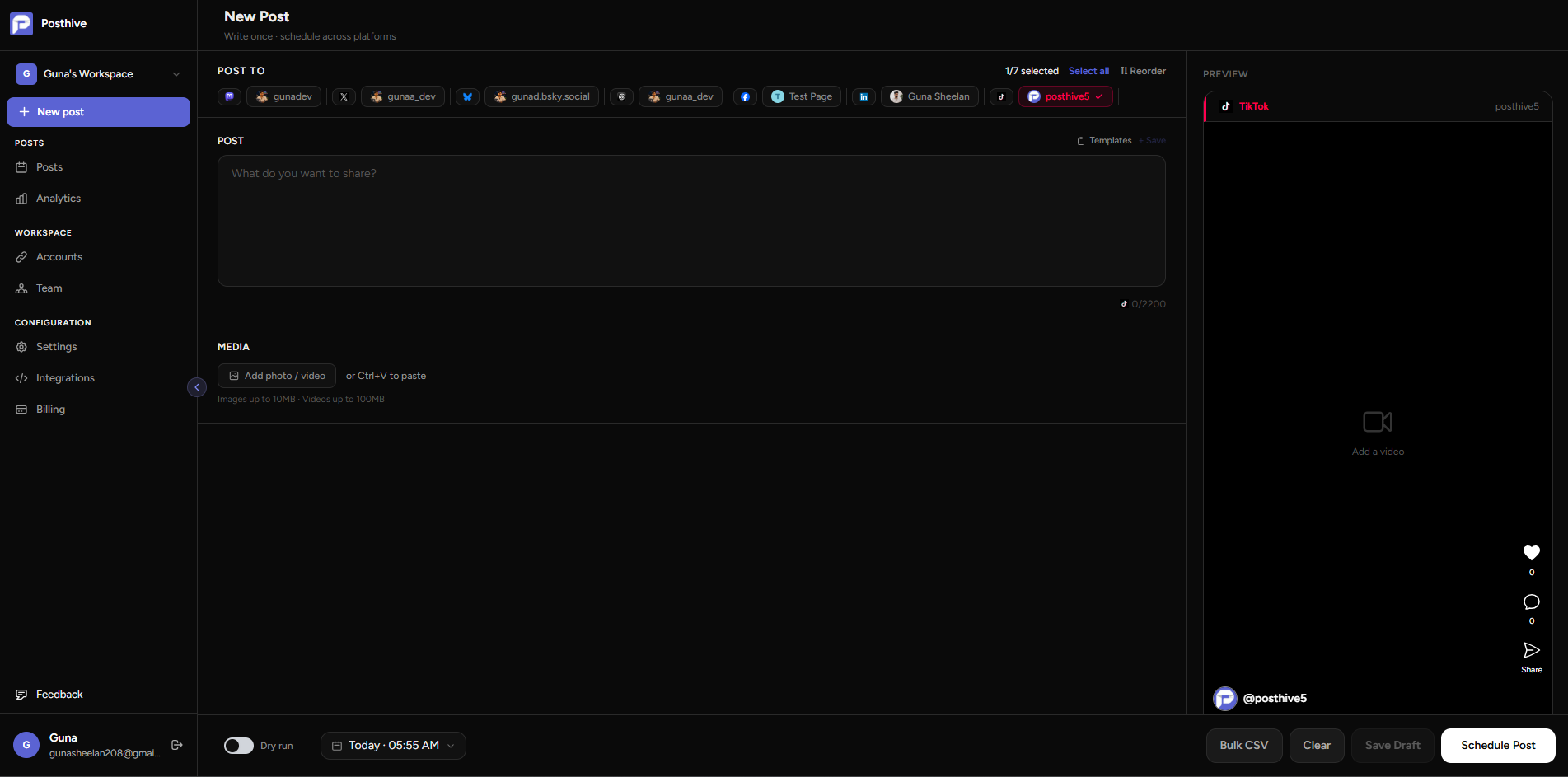
Fig. 01 — Posthive composer showing TikTok post preview
Connect once. Schedule forever.
Connect your TikTok account
Click Connect TikTok in Posthive's Accounts page. You're redirected to TikTok's OAuth page to approve access in one click.
Upload your video and write a caption
Attach an mp4 or mov file in the Posthive composer and write your caption. Up to 2,200 characters supported.
Schedule and publish
Pick a date and time. Posthive uploads the video to TikTok at the exact scheduled moment via the Content Posting API.
Built for TikTok from day one.
TikTok rewards consistency — schedule in batches
The TikTok algorithm favours accounts that post regularly and at optimal times. Batch record a week of content, schedule it in Posthive, and let it publish while you focus elsewhere.
No phone needed to post
Posthive uploads your video directly via TikTok's Content Posting API. Record once, schedule from your desktop, and the video goes live at your chosen time — no app, no manual upload.
Cross-post to 15+ other platforms simultaneously
Post the same video to YouTube Shorts, Instagram Reels, and TikTok in one click from Posthive's composer. Use per-platform overrides to customise captions for each network.
Frequently asked questions
Does Posthive support TikTok image posts?+
No. TikTok's Content Posting API only supports video uploads. Image carousels and text-only posts are not available via the API.
What video formats are supported?+
mp4 and mov files up to 100MB. For best results use 9:16 aspect ratio (1080×1920) and a duration between 5 seconds and 10 minutes.
Can I schedule TikTok duets or stitches?+
Posthive posts videos with duet and stitch enabled by default. Disabling them on a per-post basis is on the roadmap.
Why does my post show as self-only after publishing?+
TikTok's sandbox environment overrides all posts to self-only visibility. Once the Posthive TikTok app is approved for production, all posts will be published publicly.
TikTok is one of thirteen platforms.
Posthive also posts to Bluesky, Threads, Instagram, LinkedIn, Mastodon, Pixelfed, YouTube, Facebook Pages, Pinterest, Telegram, Nostr, Discord, and Tumblr — all from the same composer.
 Instagram
 Nostr
NostrStart scheduling for free.
14-day free trial. No credit card required. Connect your TikTok account in under a minute and schedule your first post today.